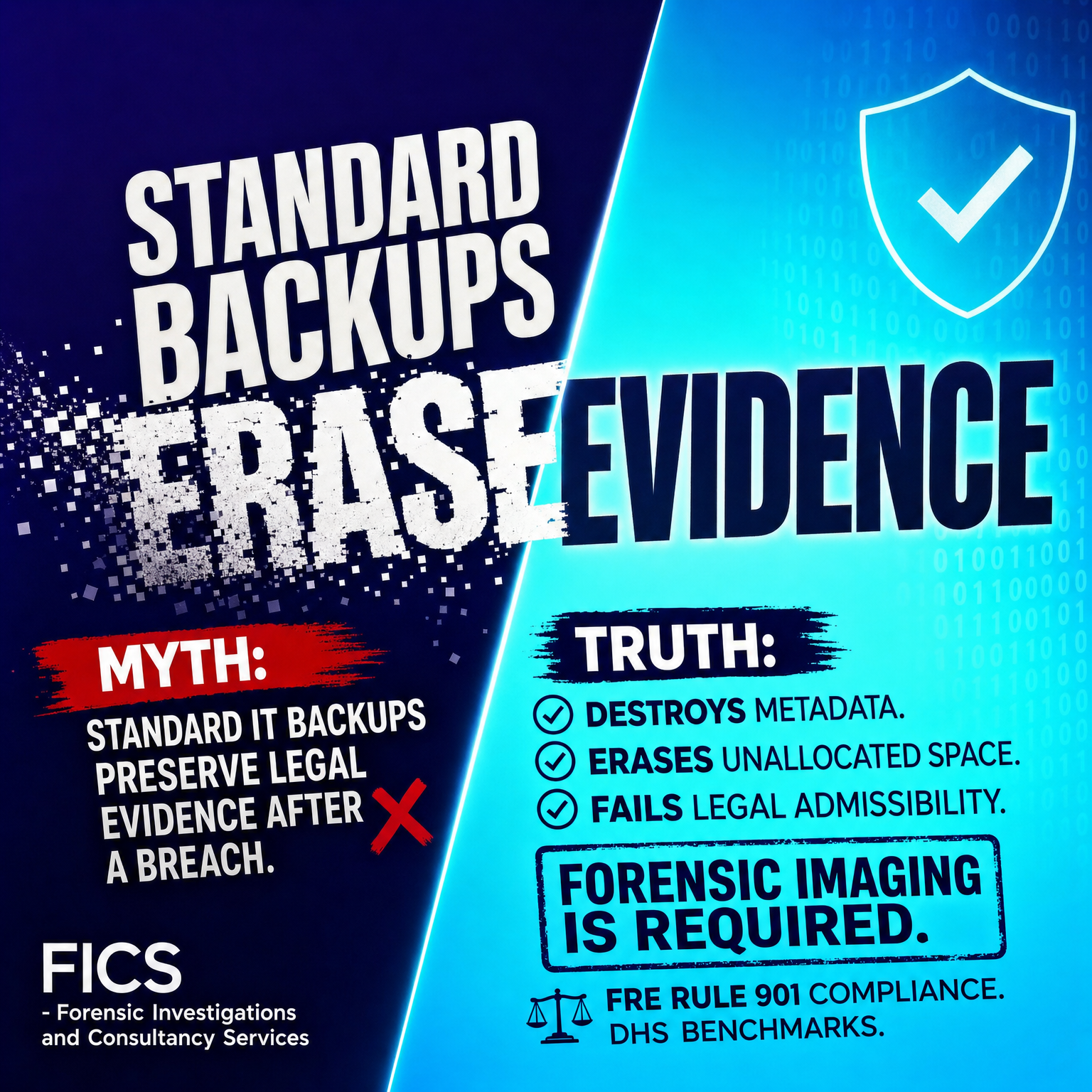
Myth: Standard IT Backups Preserve Legal Evidence After a Breach
Introduction
Following a major data breach or ransomware infection, executive leadership often relies on a dangerous assumption: "Our nightlies ran, so our digital evidence is safely backed up."
This misconception repeatedly leaves organizations exposed during regulatory audits, insurance claims, and federal litigation. While enterprise disaster recovery plans excel at restoring operational systems to minimize downtime, standard IT backups are architected for business continuity—not legal defensibility.
Relying on standard backups to document a threat actor’s path destroys critical forensic artifacts. Under rigorous court scrutiny, routine IT backups fail authentication requirements, leaving legal counsel unable to prove how an intrusion occurred, what data was exfiltrated, or when the system was compromised.
Why Standard Backups Fail Legal Requirements Under Rule 901
The fundamental breakdown between IT disaster recovery and legal discovery lies in evidence authentication. Under Rule 901 of the Federal Rules of Evidence (FRE), digital evidence must be authenticated with proof that the item is genuine and unaltered. Court standards demand an unbroken chain of custody backed by cryptographic hash verification (such as MD5 or SHA-256 algorithms).
Routine IT backups fail this bar because they perform logical file collection rather than bit-stream acquisition. During a standard backup cycle, the backup software interacts directly with the operating system, altering crucial system timestamps. As files are read and copied, system metadata—specifically Modified, Accessed, and Created (MAC) timestamps—is updated across the drive.
Furthermore, standard backup procedures routinely fail to adhere to Department of Homeland Security (DHS) forensic benchmark standards for evidence handling. When counsel attempts to introduce backup tapes or cloud snapshots in legal proceedings, opposing parties frequently challenge their integrity. Understanding digital evidence handling gaps is essential for legal counsel seeking to avoid costly evidentiary exclusions. Without specialized preservation protocols, routine backups alter underlying data, violating authentication mandates.
Forensic Image vs Backup: Destruction of Unallocated Space and Metadata
Understanding the technical distinction in the forensic image vs backup debate requires looking below the file system level. Standard backups operate at the file level: they identify active, visible files recognized by the file allocation table and copy them to storage.
In contrast, a certified forensic image creates an exact, sector-by-sector, bit-stream duplicate of the physical media.
+-----------------------------------------------------------------------+
|                       PHYSICAL STORAGE DRIVE                          |
|  +-----------------------+  +--------------------------------------+  |
|  |     Active Files      |  |  Unallocated Space & File Slack      |  |
|  |  (System & User Data) |  |  (Deleted Malware, Stager Logs, etc) |  |
|  +-----------------------+  +--------------------------------------+  |
+-----------------------------------------------------------------------+
            |                                      |
            v                                      v
  [ Standard IT Backup ]                  [ Forensic Bit-Stream Image ]
   - Copies visible files only             - Clones entire drive sector-by-sector
   - Overwrites access timestamps          - Preserves all unallocated space
   - Erases slack space artifacts          - Captures raw metadata & shadow copies
   - FAILS LEGAL ADMISSIBILITY             - ADMISSIBLE IN COURT (FRE Rule 901)
When threat actors breach a network, they routinely deploy memory-only payloads, execute PowerShell scripts from hidden directories, and delete their staging tools to evade detection. This critical evidence is stored in areas that standard backups deliberately ignore:
- Unallocated Space: Clusters on the disk that contain deleted files, temporary execution logs, and fragments of malicious code.
- File Slack: The unused memory space between the end of a file's data and the end of the physical disk sector, where hidden threat data resides.
- System Artifacts: Master File Table (MFT) records, registry hives, volume shadow copies, and event logs that document lateral movement.
Standard backup software actively cleanses these non-allocated areas during execution, effectively erasing malware stagers and execution logs. Organizations that rely solely on logical backups destroy the very evidence needed to trace breach origin, leading to strict regulatory fines. For instance, financial institutions face escalating penalties, such as those seen in recent audit log retention failures, when audit trails cannot be verified. Reviewing the key differences between a forensic copy and a normal backup demonstrates why standard snapshots fail court evidentiary standards.
Defensible Digital Evidence Preservation Strategies After a Breach
To establish a defensible incident response framework that meets federal court standards and adheres to modern data preservation standards in modern investigations, organizations must implement strict evidence handling procedures immediately upon detecting an incident.
- Isolate Affected Systems Immediately: Disconnect compromised devices from network connections (Wi-Fi and Ethernet) without powering them off, preserving volatile RAM where active threat payloads reside.
- Deploy Hardware Write-Blockers: Prior to acquiring drive data, connect physical drives to write-blocking hardware to ensure zero data modifications occur during processing.
- Perform Bit-Stream Forensic Acquisitions: Utilize specialized forensic software (such as FTK Imager or EnCase) to generate raw (.DD) or Expert Witness Format (.EWF) physical disk images.
- Generate and Record Verification Hashes: Calculate cryptographic hashes (SHA-256) immediately before and after image generation to verify that the forensic image matches the source drive exactly.
- Establish Strict Chain of Custody: Document every individual who touches, transfers, or analyzes physical media or forensic images using standardized forensic tracking forms.
- Preserve System Logs Independently: Export raw network logs, firewall records, and domain controller event logs to write-once-read-many (WORM) storage offsite.
- Verify Metadata Integrity: Validate that file properties remain completely unmodified during capture. Learn more about the technical process of verifying digital metadata to support legal disclosures.
Conclusion
Standard IT backups perform a vital duty: keeping your business operational after an operational outage or cyber event. However, treating a standard backup as admissible legal evidence after a security breach is a dangerous operational error.
By destroying unallocated space artifacts, modifying file access timestamps, and failing Rule 901 authentication standards, standard IT backups leave organizations legally defenseless when regulators, law enforcement, or opposing litigants demand answers.
Building a defensible security posture requires recognizing that business continuity tools and forensic investigation protocols serve entirely different purposes. To protect your organization against liabilities after a cyber breach, partner with certified DFIR professionals who can capture bit-stream forensic images, verify mathematical hash signatures, and preserve admissible digital evidence.